前言

这真的就是给那个方法给你嚼碎了喂你的再看不懂我也没办法(到时候会出一期教程视频)
参考资料

https://mx-space.js.org/docs/core

https://blog.xp6.top/posts/%E4%BA%91%E6%9C%8D%E5%8A%A1%E5%99%A8/91

首先你需要有一台云服务器,这里我推荐“狐蒂云”

注册链接:https://www.szhdy.com/aff/IGBTWUUW

注册后你可以去购买云服务,他家活动时不时就有非常有性价比的产品出现

然后你会获得一个ip地址和一个ssh密码,我们可以用finalshell链接

finalshell下载链接:https://dl.hostbuf.com/finalshell3/finalshell_windows_x64.exe

手机可以用serverbox

准备

一台服务器

一个域名

一个ssh连接工具

教程

连接服务器

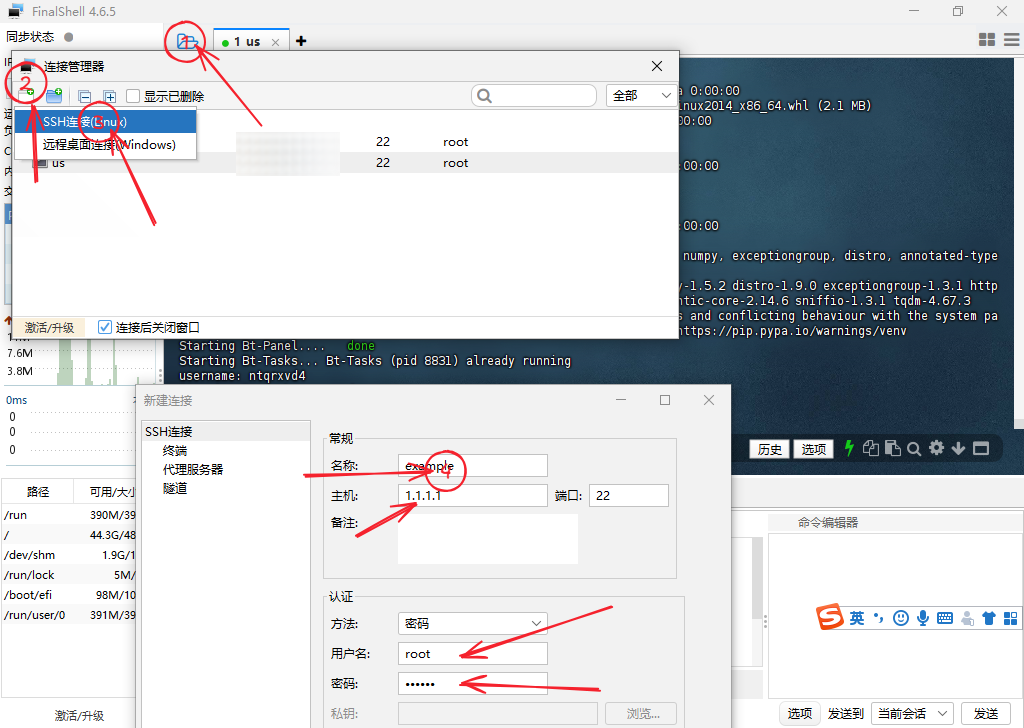
打开finalshell,点击上方文件样子的图标,点击添加图标,选ssh链接将云服务器提供商的参数填进去,然后确认返回,点击即刚刚新建的连接上服务器,点击接受和保存
安装宝塔and所需软件

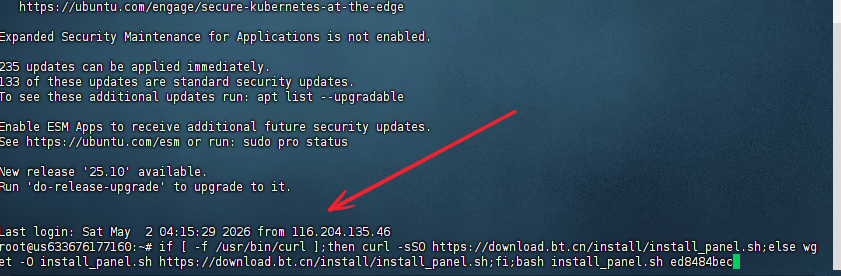
输入以下命令先安装宝塔面板
1
if [ -f /usr/bin/curl ];then curl -sSO https://download.bt.cn/install/install_panel.sh;else wget -O install_panel.sh https://download.bt.cn/install/install_panel.sh;fi;bash install_panel.sh ed8484bec

等待期安装完成

访问所给出的面板往外网访问地址(若你的云服务商开了防火墙,记得放行端口)
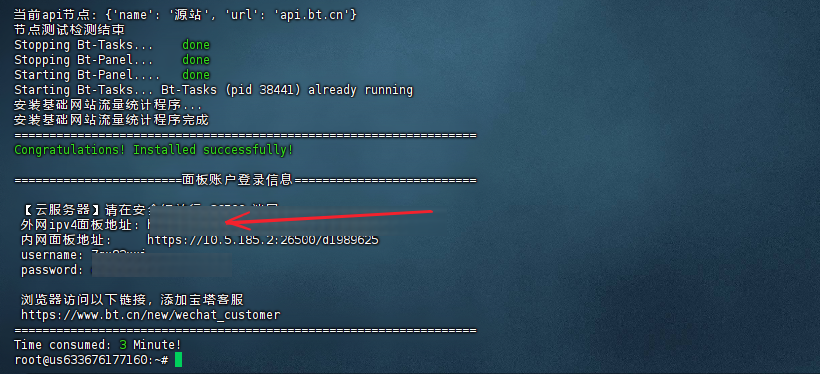
复制账号密码进去然后登陆

滑倒最下然后同意协议
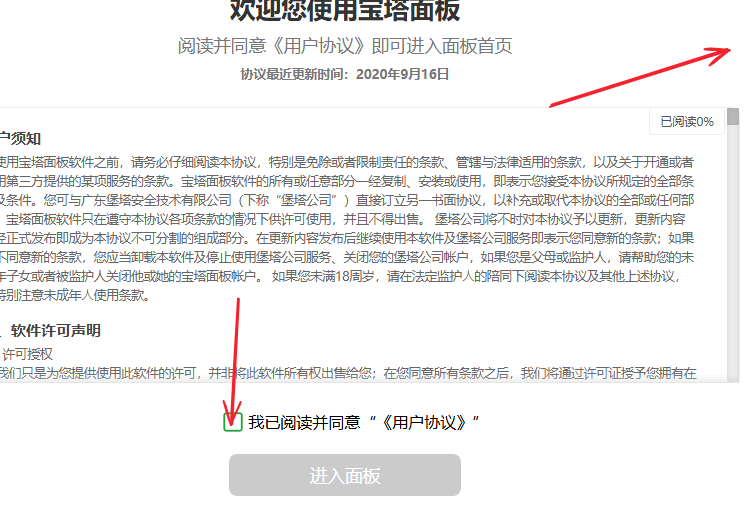
点击暂不绑定(当然你有的花也可以绑定)

点击下方这个极速安装,如果你想快点可以只勾选nginx
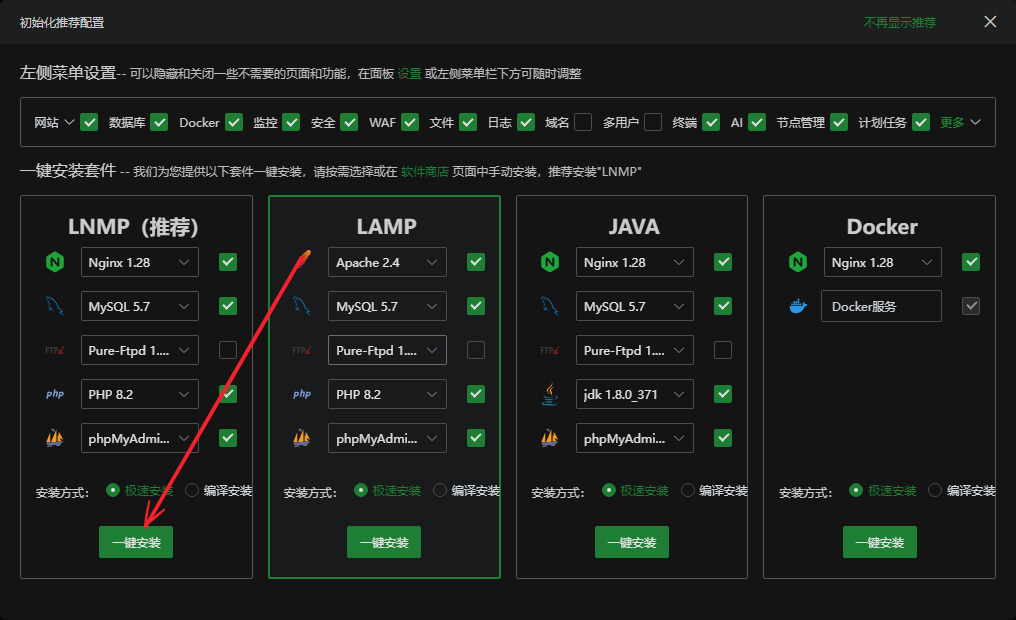
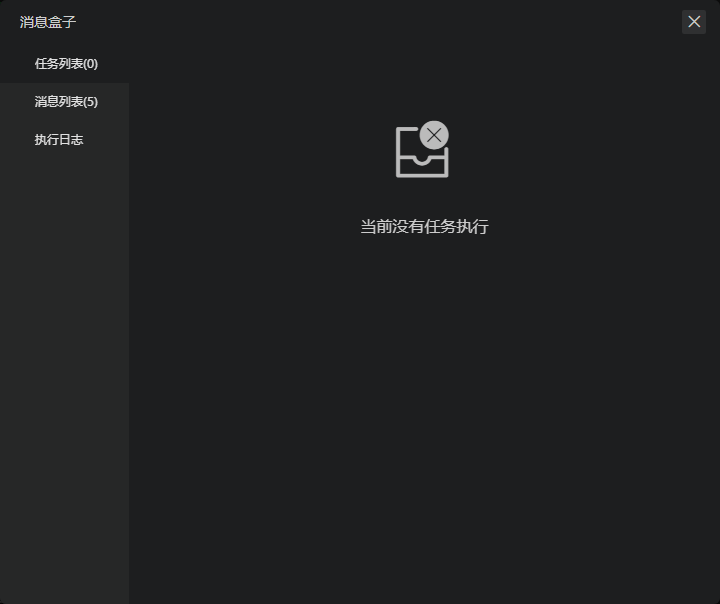
等待安装完成
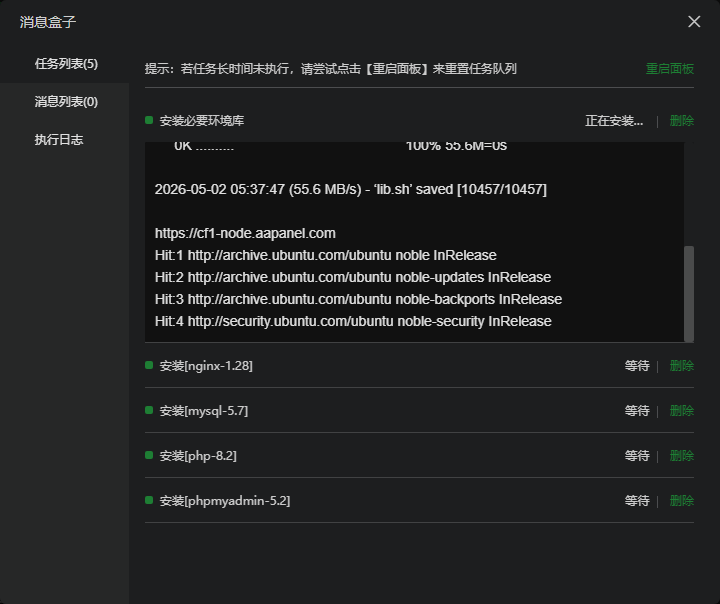
返回点击左侧的docker
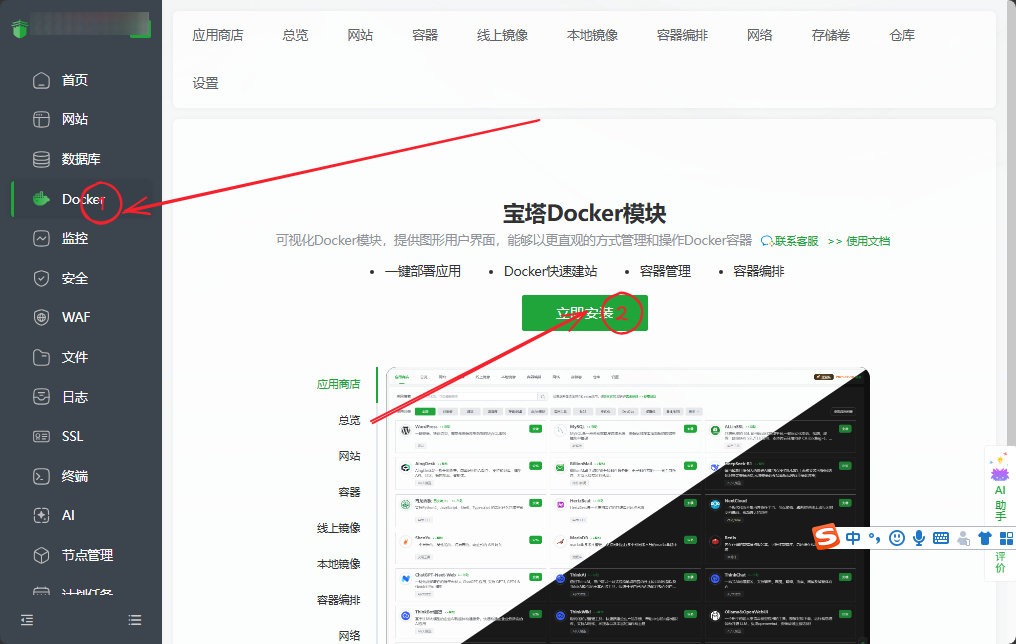
](https://tp.802213.xyz/uploads/SnowShot_2026-05-02_15-15-55.png)![
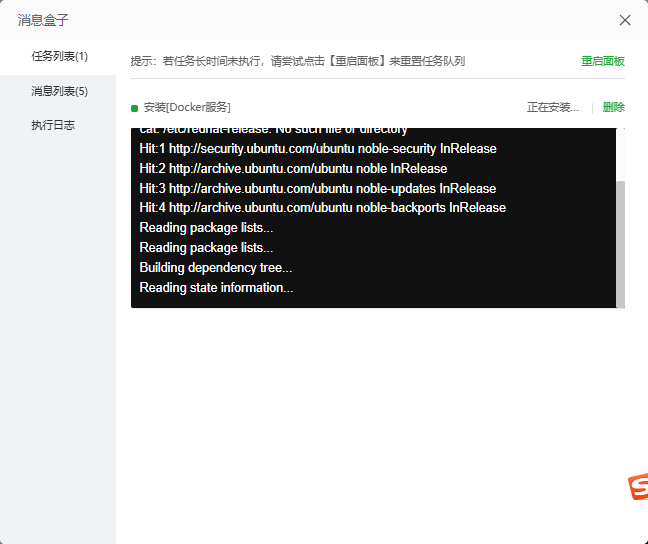
等待期安装完成(有可能出现successful但是不会关闭,你自己关了就好)

执行安装脚本

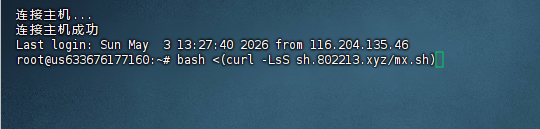
回到finalshell

输入

<(curl -LsS sh.802213.xyz/mx.sh)
1
2
3
bash <(curl -LsS sh.802213.xyz/mx.sh)


这个是我照着教程拿ai写的:(
感谢ZXEB大佬提供的修复后的shiro的启动文件

这里输入的是你的后端域名
等待执行到这一步
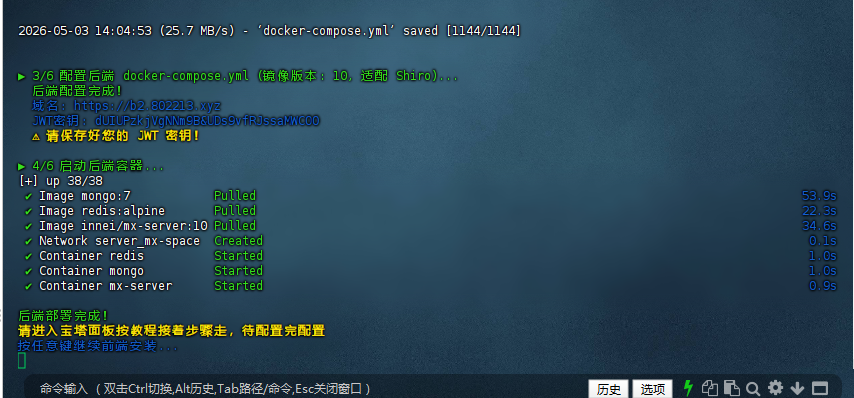
配置反向代理

回到宝塔面板,现在来配置反向代理
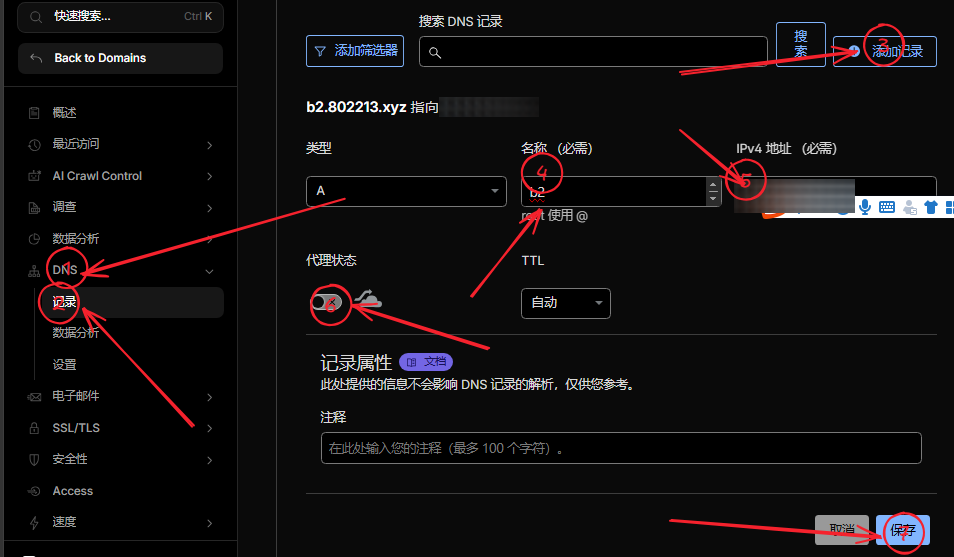
这里的域名填你刚刚输入的后端域名

目标填http://127.0.0.1:2333
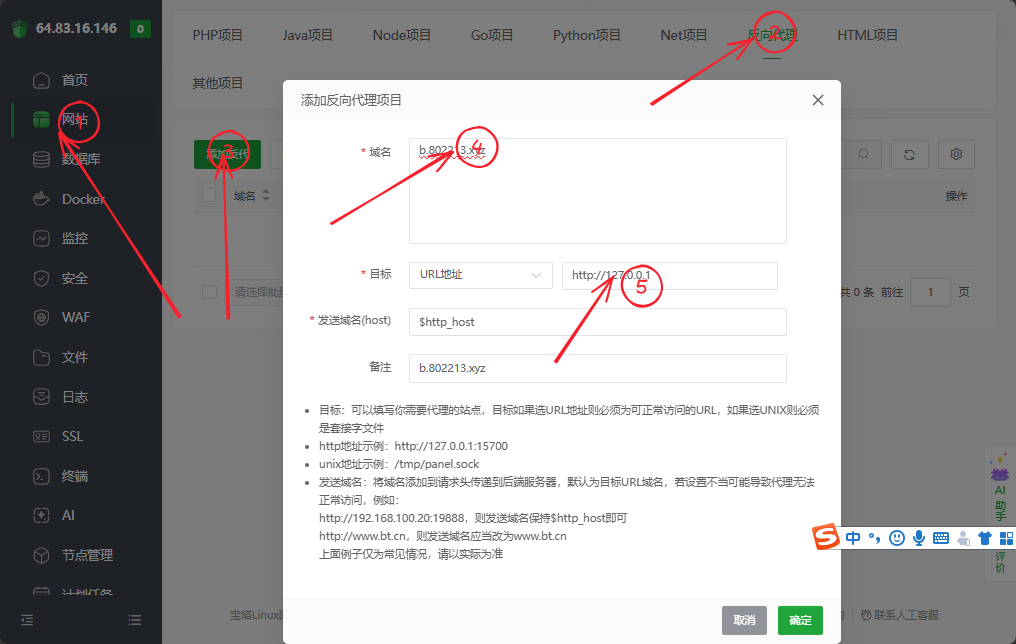
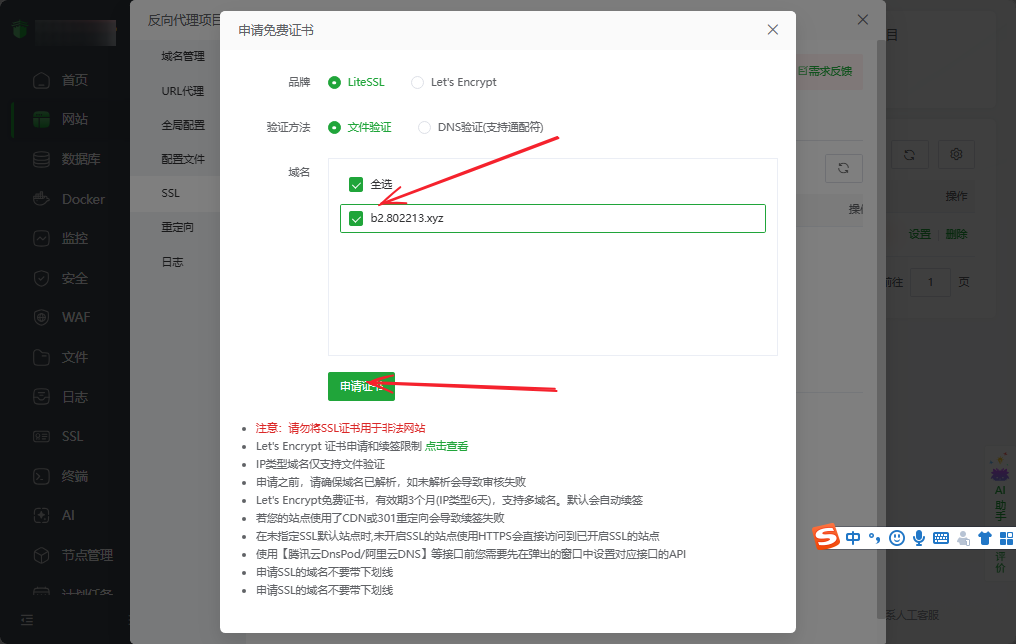
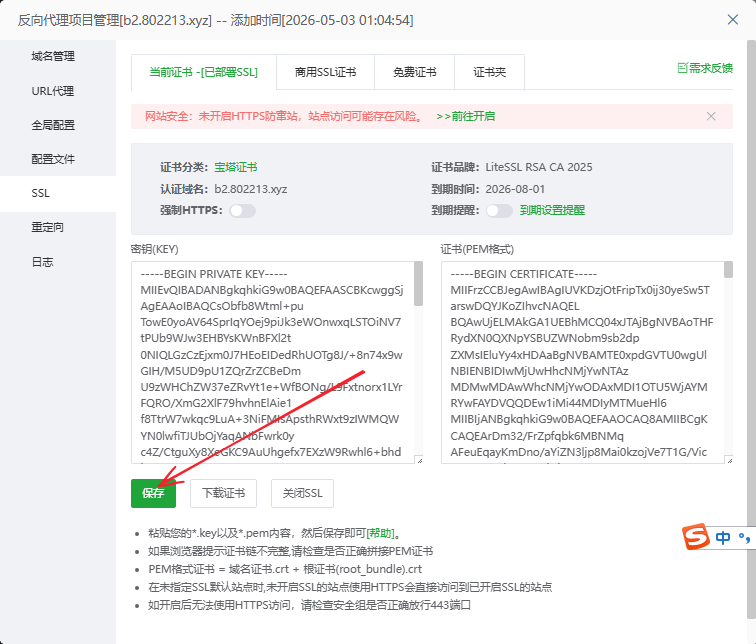
然后配置ssl
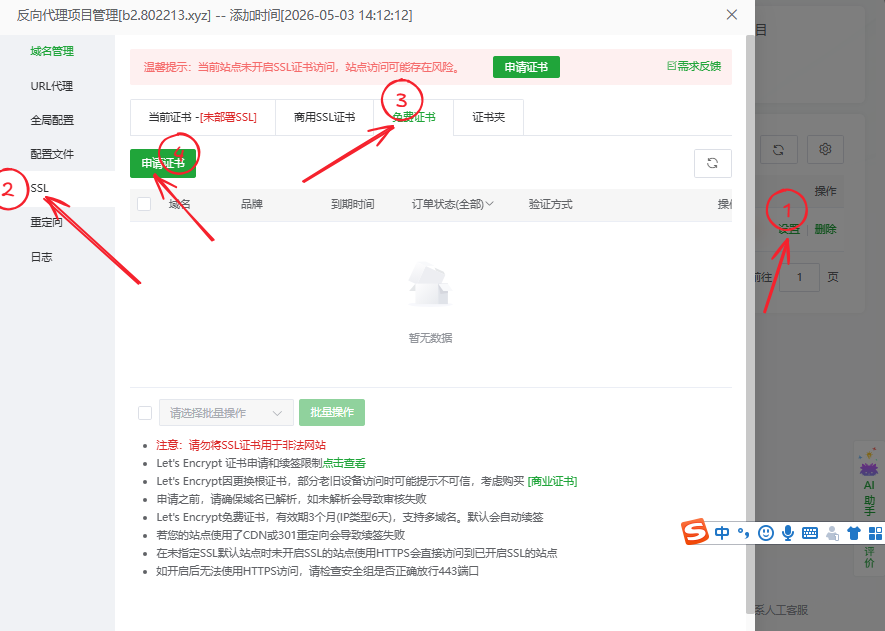
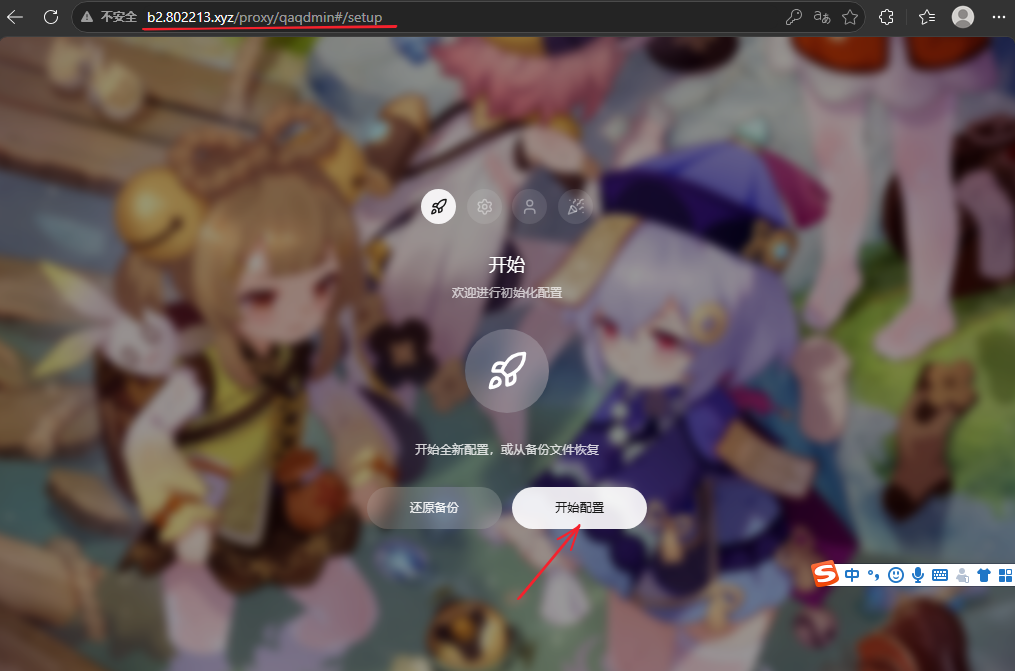
然后新建一个浏览器窗口,打开你的后端地址/proxy/qaqdmin

登陆后端及配置

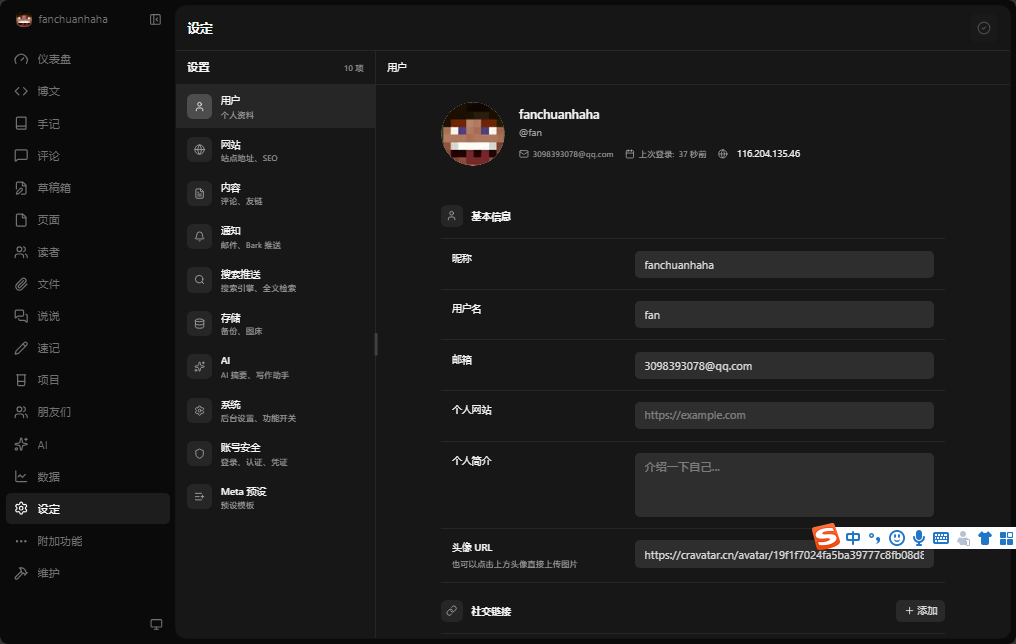
随后进行配置
按你的需求填
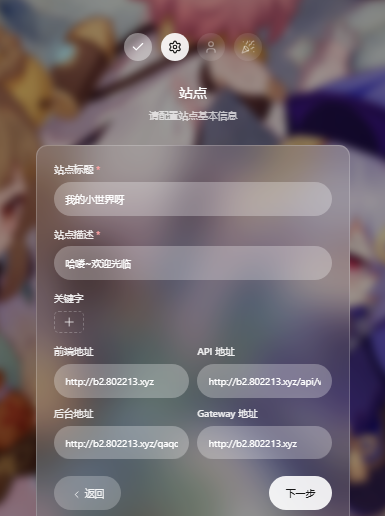
](https://tp.802213.xyz/uploads/SnowShot_2026-05-02_18-05-41.png)![
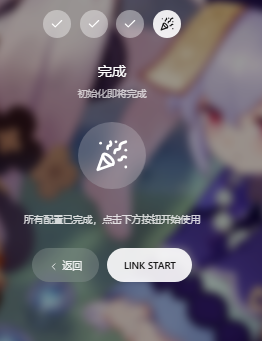
点击link start

然后输入你刚刚设的密码

这样就成功进到后端了

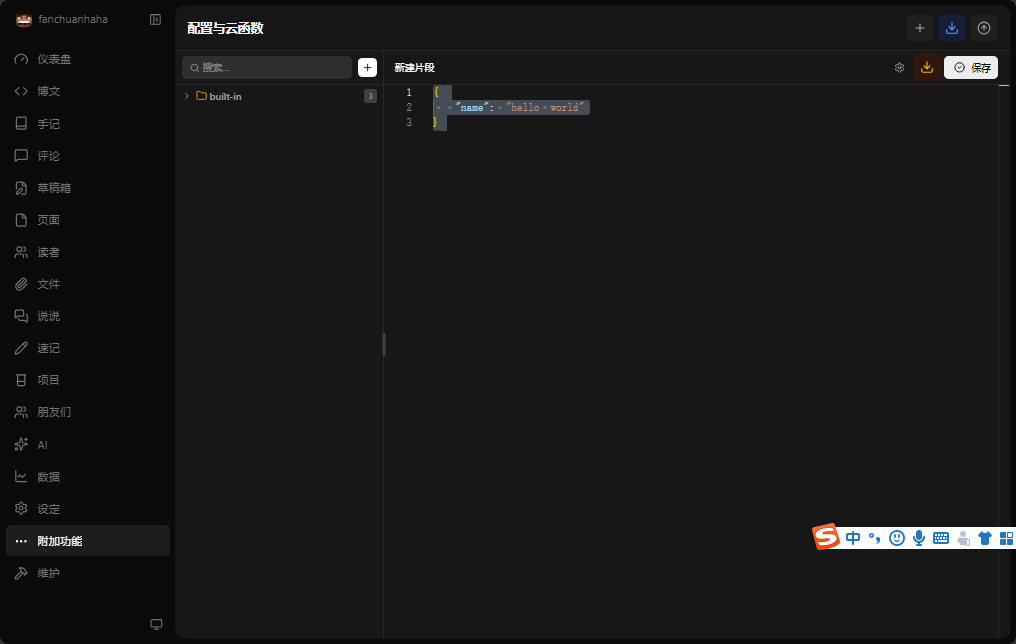
现在配置云函数(给前端看的)
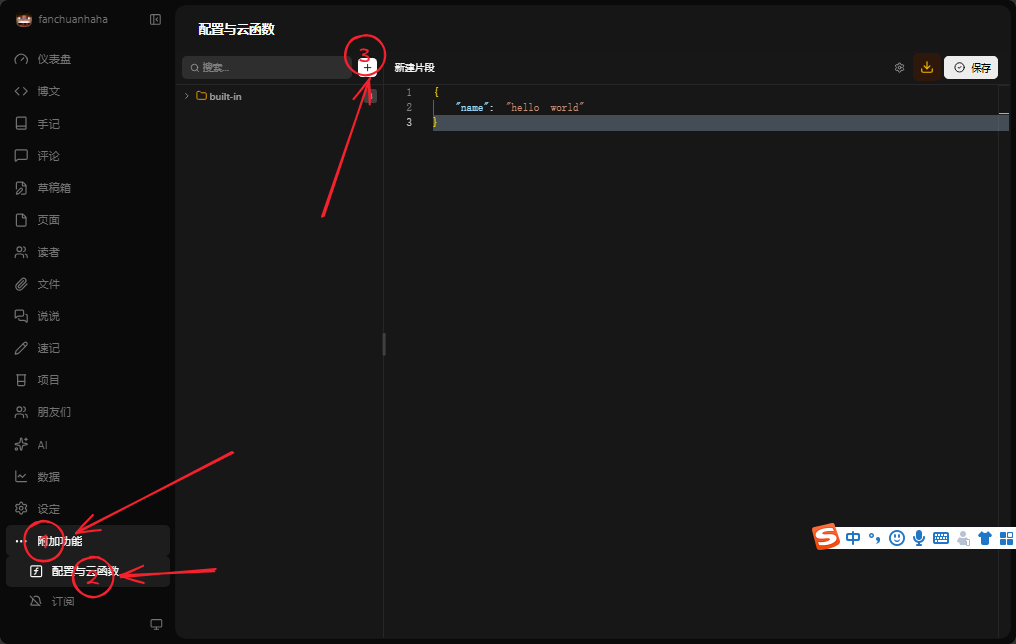
新建如下
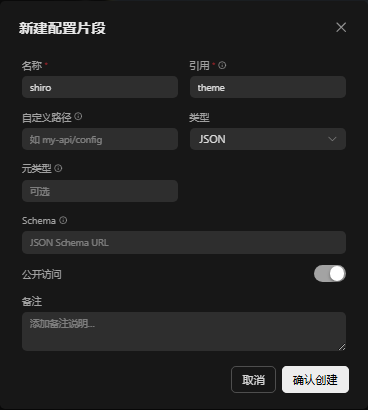
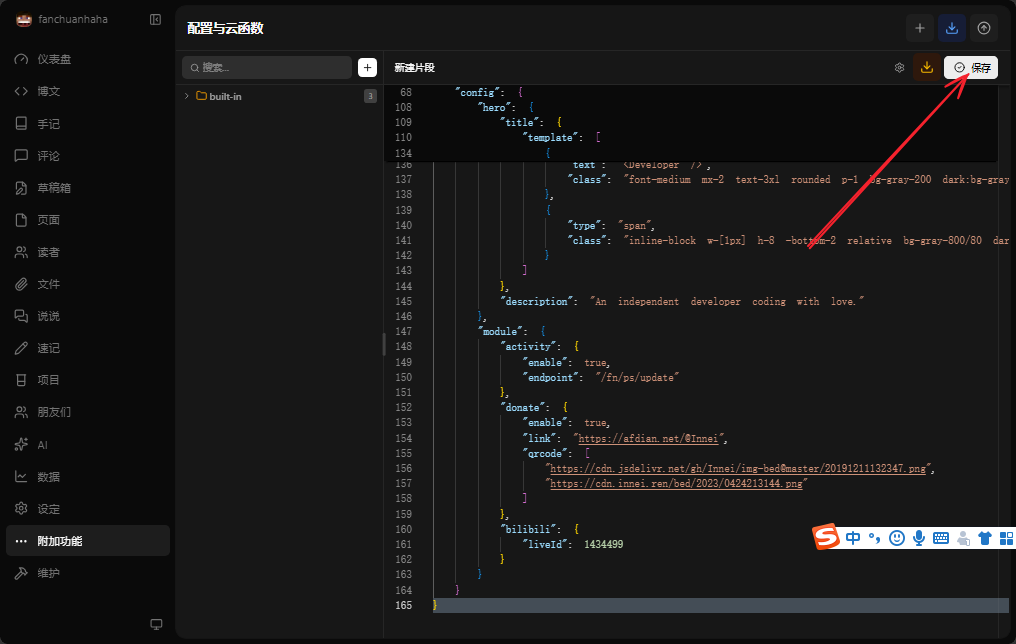
删除全部替换下面的

复制粘贴下面的(不要照抄更具自己的修改)

1
2
3
4
5
6
7
8
9
10
11
12
13
14
15
16
17
18
19
20
21
22
23
24
25
26
27
28
29
30
31
32
33
34
35
36
37
38
39
40
41
42
43
44
45
46
47
48
49
50
51
52
53
54
55
56
57
58
59
60
61
62
63
64
65
66
67
68
69
70
71
72
73
74
75
76
77
78
79
80
81
82
83
84
85
86
87
88
89
90
91
92
93
94
95
96
97
98
99
100
101
102
103
104
105
106
107
108
109
110
111
112
113
114
115
116
117
118
119
120
121
122
123
124
125
126
127
128
129
130
131
132
133
134
135
136
137
138
139
140
141
142
143
144
145
146
147
148
149
150
151
152
153
154
155
156
157
158
159
160
161
162
163
164
165
{
"footer": {
"otherInfo": {
"date": "2020-{{now}}",
"icp": {
"text": "萌 ICP 备 20236136 号",
"link": "https://icp.gov.moe/?keyword=20236136"
}
},
"linkSections": [
{
"name": "关于",
"links": [
{
"name": "关于本站",
"href": "/about-site"
},
{
"name": "关于我",
"href": "/about"
},
{
"name": "关于此项目",
"href": "https://github.com/innei/Shiro",
"external": true
}
]
},
{
"name": "更多",
"links": [
{
"name": "时间线",
"href": "/timeline"
},
{
"name": "友链",
"href": "/friends"
},
{
"name": "监控",
"href": "https://status.innei.in/status/main",
"external": true
}
]
},
{
"name": "联系",
"links": [
{
"name": "写留言",
"href": "/message"
},
{
"name": "发邮件",
"href": "mailto:i@innei.ren",
"external": true
},
{
"name": "GitHub",
"href": "https://github.com/innei",
"external": true
}
]
}
]
},
"config": {
"color": {
"light": [
"#33A6B8",
"#FF6666",
"#26A69A",
"#fb7287",
"#69a6cc",
"#F11A7B",
"#78C1F3",
"#FF6666",
"#7ACDF6"
],
"dark": [
"#F596AA",
"#A0A7D4",
"#ff7b7b",
"#99D8CF",
"#838BC6",
"#FFE5AD",
"#9BE8D8",
"#A1CCD1",
"#EAAEBA"
]
},

"bg": [
"https://github.com/Innei/static/blob/master/images/F0q8mwwaIAEtird.jpeg?raw=true",
"https://github.com/Innei/static/blob/master/images/IMG_2111.jpeg.webp.jpg?raw=true"
],
"custom": {
"css": [],
"styles": [],
"js": [],
"scripts": []
},
"site": {
"favicon": "/innei.svg",
"faviconDark": "/innei-dark.svg"
},
"hero": {
"title": {
"template": [
{
"type": "h1",
"text": "Hi, I'm ",
"class": "font-light text-4xl"
},
{
"type": "h1",
"text": "Innei",
"class": "font-medium mx-2 text-4xl"
},
{
"type": "h1",
"text": "👋。",
"class": "font-light text-4xl"
},
{
"type": "br"
},
{
"type": "h1",
"text": "A NodeJS Full Stack ",
"class": "font-light text-4xl"
},
{
"type": "code",
"text": "<Developer />",
"class": "font-medium mx-2 text-3xl rounded p-1 bg-gray-200 dark:bg-gray-800/0 hover:dark:bg-gray-800/100 bg-opacity-0 hover:bg-opacity-100 transition-background duration-200"
},
{
"type": "span",
"class": "inline-block w-[1px] h-8 -bottom-2 relative bg-gray-800/80 dark:bg-gray-200/80 opacity-0 group-hover:opacity-100 transition-opacity duration-200 group-hover:animation-blink"
}
]
},
"description": "An independent developer coding with love."
},
"module": {
"activity": {
"enable": true,
"endpoint": "/fn/ps/update"
},
"donate": {
"enable": true,
"link": "https://afdian.net/@Innei",
"qrcode": [
"https://cdn.jsdelivr.net/gh/Innei/img-bed@master/20191211132347.png",
"https://cdn.innei.ren/bed/2023/0424213144.png"
]
},
"bilibili": {
"liveId": 1434499
}
}
}
}

保存

然后回到终端继续执行安装

等待期安装完成

返回宝塔面本,配置前端的代理

和后端一样的步骤

](https://tp.802213.xyz/uploads/SnowShot_2026-05-03_12-23-47.png)![](https://tp.802213.xyz/uploads/SnowShot_2026-05-03_12-08-03.png)![

之后访问你的前端域名,即可成功访问网站

有不懂得欢迎加入q群262195311讨论